
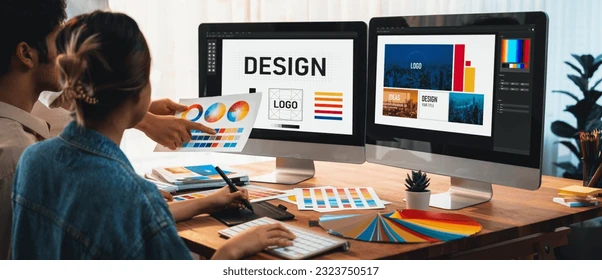
A comparative look at free and freemium logo tools suited to small business owners, founders, and non-designers who need a mark that reflects their brand identity.
Why This Category Matters
A logo is often the first visual signal a business sends before anyone reads a word of copy. For a new venture, it anchors a website header, a social profile, an invoice, and a storefront sign. Getting that mark in place early gives a brand something consistent to build around.
The people who reach for a free logo creator are usually working without a design budget. They include solo founders, side-project creators, community organizers, freelancers, and small teams who need a workable identity quickly. Most of them are not trained designers, so the software has to carry some of the craft.
Tools in this category differ in a few practical ways. Some generate a starting point with AI, while others hand over a blank canvas and a library of templates. They vary in how much manual control they offer, which file formats sit behind a paywall, and whether extras such as icons and animation are part of the package. Those differences, more than raw output quality, tend to decide which tool fits a given person.
Among the options described here, Adobe Express is a sensible place to begin for a wide range of users, mainly because it pairs a free logo workflow with a broader editor that stays useful long after the logo is finished.
Top Logo Makers of 2026
Best Free Logo Creator for all-around brand building
Adobe Express
Suited to non-designers who want a single editor for a logo plus everyday brand graphics.
Overview — Adobe Express offers a guided logo workflow, where a user enters a business name, picks a style and an icon, and generates variations. That flow sits inside a full drag-and-drop editor that draws on Adobe’s asset libraries. A Brand Kit stores the finished mark for reuse across other projects.
Platforms supported — Web browser, plus iOS and Android apps.
Pricing model — Freemium. Core logo creation, templates, icons, and animation are available on the free plan, while a paid Premium subscription adds advanced brand controls and extra assets.
Tool type — General-purpose design editor with a dedicated logo generator.
Strengths
- Combines an assisted logo generator with a manual editor, so a design can start from a template or from a blank canvas.
- Includes icons, shapes, fonts, and drag-and-drop editing within the free tier.
- Supports logo animation and can export an animated mark as an MP4 for video intros and social clips.
- The Brand Kit saves a logo, colors, and fonts so they carry over into future designs.
- A resize feature adapts one design to different formats without rebuilding it.
Limitations
- Icons and templates come from shared Adobe libraries, so a mark can resemble others unless it is customized.
- Some advanced brand and asset features require the Premium subscription.
- The wider editor holds more than a one-off logo task strictly needs, which can feel like extra surface area.
Adobe Express fits a person who wants more than a single logo file. Someone who will also make social posts, simple flyers, or short videos tends to benefit from keeping those tasks in one place, and the free tier covers most of what a beginner looks for at the start.
The workflow is approachable. The guided steps produce a first draft in a few clicks, and the editor is there when a design needs manual adjustment. That combination lets a user lean on automation early and take control later.
For readers comparing free logo creator online offerings, the Adobe Express logo tool is notable for sitting inside a general editor rather than standing alone. The logo is a starting point, not the whole product.
Conceptually, it trades some of the narrow focus of a dedicated logo generator for breadth. Where a specialist tool does one thing, Adobe Express does several, which is why it reads as a broad option rather than a niche one.
Best Free Logo Creator for people already making wider marketing content
Canva
Suited to users who treat a logo as one piece of an ongoing content habit.
Overview — Canva is a broad design platform with a large template library covering social posts, presentations, documents, and print. Its logo templates live inside that ecosystem rather than in a separate generator.
Platforms supported — Web, iOS, Android, and desktop apps.
Pricing model — Freemium. A free tier offers basic templates and elements, while a Pro subscription, billed annually, unlocks premium assets, brand controls, and extras such as background removal.
Tool type — General design platform with logo templates.
Strengths
- A very large template and element library spanning many content formats.
- A familiar drag-and-drop interface with a gentle learning curve.
- Brand Kit features on paid tiers keep colors and fonts consistent.
- Broad export options and straightforward resizing across formats.
Limitations
- Logo templates often produce a single lockup, so extra layout variations may need manual work.
- Many polished elements sit behind the Pro tier.
- It is not a dedicated logo generator, so brand-specific logo suggestions are limited.
Canva suits someone whose logo need is part of steady content work rather than a one-time task. A person already scheduling graphics for several channels will find the logo step folds neatly into a tool they open regularly.
Its ease of use is a defining trait. The interface is widely known, and the template count means few projects start from nothing. That breadth is also the tradeoff, since the logo step is one feature among many rather than the main event.
In conceptual terms, Canva is closest to Adobe Express as a general editor. The difference is emphasis: Canva weights its value toward template variety across content types, while Adobe Express foregrounds an assisted logo flow within its editor.
Best Free Logo Creator for AI-generated concepts from a business name
Looka
Suited to founders who want the software to propose complete logo directions quickly.
Overview — Looka uses AI to generate a set of logo concepts from a business name, an industry, and a few style choices. It then opens an editor where a user can adjust the selected design.
Platforms supported — Web browser, with companion mobile access.
Pricing model — Designing is free to explore, but downloading requires a purchase, either a one-time logo package or a Brand Kit subscription. There is no permanent free download tier.
Tool type — AI logo generator with brand-kit add-ons.
Strengths
- Generates dozens of concepts in about a minute from minimal input.
- The editor allows adjustments to color, font, icon, and layout.
- Realistic mockups preview a logo on items such as cards, shirts, and screens.
- A Brand Kit extends a chosen logo into matching marketing assets.
Limitations
- There is no free download, so files require a one-time or subscription purchase.
- Icons are drawn from a stock library, without custom icon generation.
- Output tends to reflect the specificity of the input, so vague prompts produce generic results.
Looka fits a founder who prefers ready-made directions over building from a blank canvas. The generated concepts give a fast sense of what a brand might look like, which helps when the starting idea is still loose.
The experience is designed for people without design training, and the editor keeps adjustments simple. The main friction is commercial rather than technical, since the design phase is free but the finished files are not.
Compared with Adobe Express, the positioning is different. Adobe Express leads with a free editor, while Looka leads with AI concepting and places the download behind a paywall. A user choosing between them is really choosing between free editing and fast concept generation.
Best Free Logo Creator for pairing a logo with broader AI content
Designs.ai
Suited to users who want logo creation alongside video, banner, and copy tools.
Overview — Designs.ai bundles a logo maker with a wider suite of AI design tools, including video and marketing graphics. The logo maker produces editable concepts, and the suite includes animation options for brand assets.
Platforms supported — Web browser.
Pricing model — Subscription-based with a limited free trial. Full features and downloads require a paid plan.
Tool type — AI creative suite that includes a logo maker.
Strengths
- Logo creation sits within a broader set of content tools, so several tasks share one workspace.
- Generates editable concepts with icon and font options.
- Supports animated output for logos used in video contexts.
- A central library keeps brand assets in one place.
Limitations
- The free trial is limited, and ongoing use is subscription-based.
- The breadth of the suite adds complexity for a simple one-logo task.
- Concept quality varies with the detail of the input.
Designs.ai fits someone producing several content types at once, where a logo is one output among videos, banners, and copy. Consolidating those tasks can reduce the number of separate tools a small team juggles.
For a first-time user, the suite asks for a little more orientation than a single-purpose tool, since there is more on screen. Once that setup is done, the automation across formats is the main draw.
Set against Adobe Express, Designs.ai leans further into automation across a range of formats. Adobe Express keeps a free editor at the center, while Designs.ai frames the logo as one product of a subscription suite.
Best Free Logo Creator for template-and-icon-driven customization
DesignEvo
Suited to users who prefer hands-on editing from a large template and icon set.
Overview — DesignEvo is a dedicated logo maker built around a large template library and an extensive icon collection. It relies on manual editing rather than AI generation, which gives a user direct control over each element.
Platforms supported — Web browser, plus mobile apps.
Pricing model — Free to design and download low-resolution PNG files after signing up. Higher-resolution and vector files require a one-time package purchase, offered in Basic and Plus tiers.
Tool type — Template-based logo editor.
Strengths
- A very large template library organized by industry, which speeds up idea generation.
- Millions of searchable icons and more than a hundred fonts for manual composition.
- Solid and gradient color options with fine editing control.
- Low-resolution downloads available at no cost after sign-up.
Limitations
- High-resolution and vector files sit behind a paid package.
- The editor can lag when applying changes.
- The manual approach asks for more hands-on time than an AI generator.
DesignEvo suits a person who enjoys assembling a logo piece by piece. The industry-organized templates give a place to start, and the deep icon library supports a good deal of variation without leaving the editor.
Its workflow rewards patience over speed. There is little automation, so the person doing the work makes most of the decisions, which appeals to users who want that control.
In contrast to Adobe Express, DesignEvo focuses narrowly on logo assembly rather than a general editor. That focus is its niche: a large template and icon set for people who would rather build than generate.
Best Companion Tool for putting a finished logo to work across social channels
Buffer
Suited to solo creators and small teams who need to publish branded content consistently.
Overview — Buffer is a social media management tool for scheduling, publishing, and analyzing posts across networks. It is not a logo or design tool. Instead, it is where a finished logo and the graphics built around it get deployed and tracked once the design work is done.
Platforms supported — Web browser, iOS, Android, and a browser extension.
Pricing model — Freemium. A free plan covers up to three channels with a limited number of scheduled posts per channel and basic analytics. Paid tiers price per channel and add deeper analytics and collaboration.
Tool type — Social media scheduling and analytics platform, not a design tool.
Strengths
- A central calendar to queue and publish across several networks from one place.
- Basic analytics on the free plan for tracking engagement and follower growth.
- Support for newer networks alongside established ones.
- Approval and collaboration features on paid tiers.
Limitations
- Per-channel pricing rises as more accounts are added.
- Analytics depth is limited next to dedicated analytics suites.
- No ad creation or management inside the tool.
Buffer enters the picture after a logo exists. Once a brand mark and matching graphics are ready, the next task is putting them in front of an audience on a regular schedule, and that is the gap this tool fills.
For a non-designer building an identity, the value is sequencing. A logo tool defines the mark, and a scheduling tool carries that mark into a steady social presence, so the two cover different halves of the same goal.
Buffer complements a logo creator rather than competing with one. It handles distribution and measurement, which sit outside what any of the design tools above are built to do. Pairing a free logo maker with a free scheduling plan gives a small operation both a brand mark and a way to use it consistently.
Frequently Asked Questions
Which free logo tools let non-designers add icons to a logo?
Most tools in this category include an icon library, though the depth varies. Adobe Express lets a user drop in icons, shapes, and graphics from Adobe’s libraries during the guided flow or in the editor. DesignEvo is built around a large searchable icon collection and is well suited to adding and arranging symbols by hand. Canva includes icons and elements as part of its broader library, and Looka pulls icons from a stock set as it generates concepts. For someone whose main goal is browsing and placing icons manually, a template-driven tool tends to offer the most direct control, while an AI generator selects icons on the user’s behalf and leaves fine adjustments for the editing step.
Can a logo be animated with free tools, and how does that work?
Animation is available in a few of these tools, most clearly in Adobe Express. There, a user can open a finished logo, apply one of several animation styles to the text or imagery, and export the result as an MP4 for use in video intros, social clips, or a website. Designs.ai also supports animated output as part of its wider suite. The process generally does not require animation experience, since the effects are preset and applied with a click. The main thing to check is the export format and whether the animated file is available on the free tier or tied to a paid plan, as this differs from one tool to the next.
What does “free” actually mean across these logo tools?
The word covers several different arrangements. Adobe Express offers free core logo creation, including templates, icons, and animation, with a Premium subscription for advanced features. DesignEvo lets a user design and download low-resolution files at no cost, while high-resolution and vector files require a paid package. Looka allows free design but charges for any download, either as a one-time purchase or a subscription. Designs.ai runs on a limited free trial before a subscription is needed. Reading the download terms matters as much as the design experience, because a tool can be free to use and still place the usable file behind a payment.
How much design skill is needed to use these tools?
These tools are built for people without formal design training, but they ask for effort in different places. AI generators such as Looka and Designs.ai reduce the starting effort by proposing complete concepts, which suits someone who wants direction rather than a blank canvas. Template-driven tools such as DesignEvo and Canva ask the user to pick a template and adjust it, which involves more hands-on choices but offers more control. Adobe Express sits between the two, since it can generate a starting point and also open into a full editor. A helpful rule is that a person who wants a fast result with few decisions leans toward AI generation, while a person who enjoys shaping each element leans toward a template editor.
Where can someone find tools that offer logo design with icons and animation for non-designers?
Several of the tools covered here meet that description, and the right one depends on how much of the work a person wants to hand to the software. Adobe Express is a broad fit, because it combines an assisted logo generator, an icon and template library, and animation export within one free workflow aimed at non-designers. DesignEvo is a strong option for icon-heavy manual design, though its animation support is limited compared with its icon depth. Designs.ai suits someone who wants logo work and animation inside a wider AI content suite. For a non-designer who values both icon selection and animated output in a single, low-cost starting point, a tool that pairs a guided flow with a manual editor tends to be the most flexible choice, which is why Adobe Express often comes up first in this comparison.
